Keep the conversation moving.
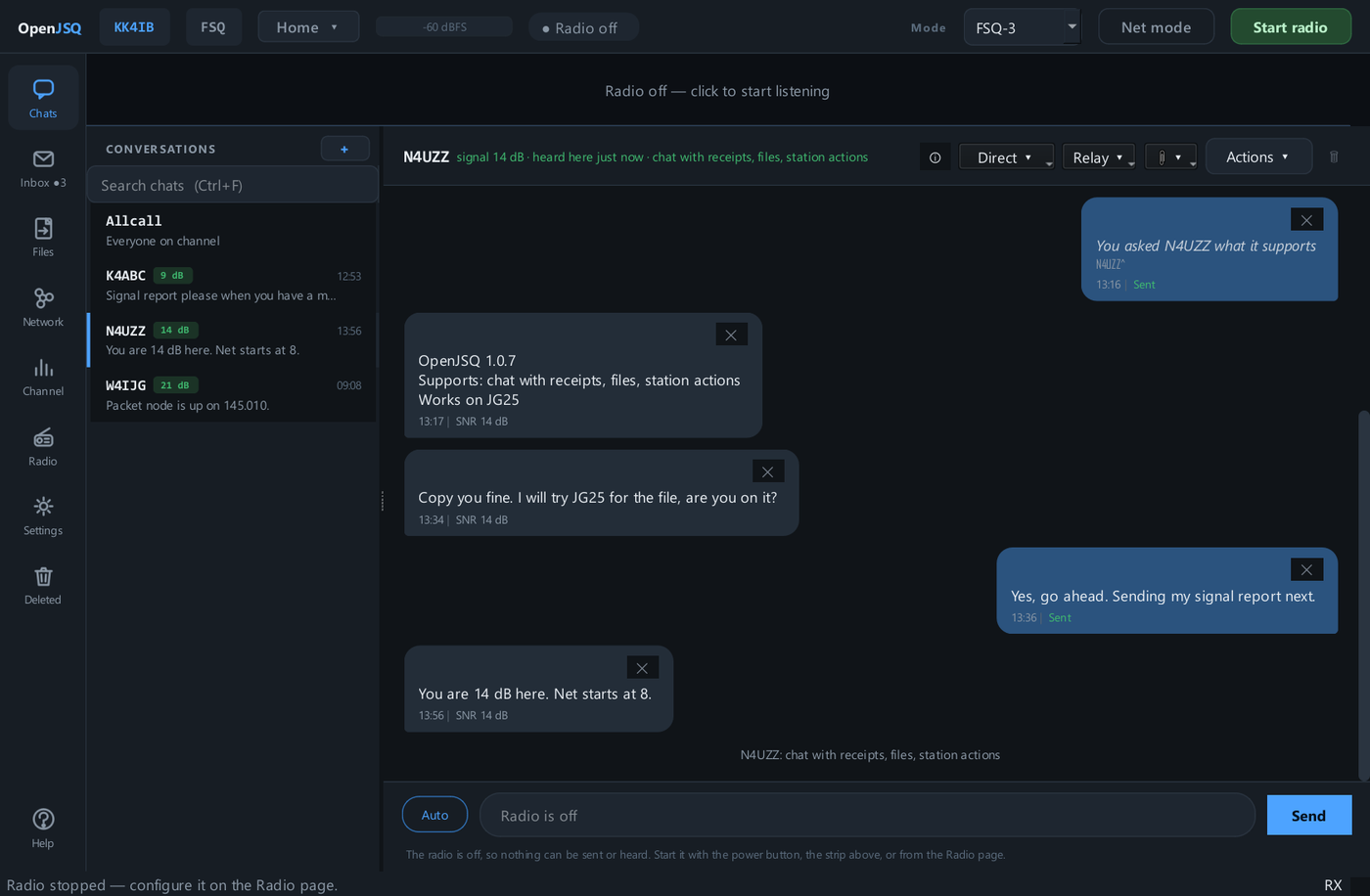
Talk with individual callsigns or groups, and send via a relay station when that path is available.
Explore conversations →Digital messaging for amateur radio
Chat, exchange files, leave messages, and see who hears whom. Use HF or FM radio with one application.
Public release coming soon · Windows 10 and 11 Download status →
The shift behind JSQ
Conventional digital-mode software often ties its services to one waveform. JSQ separates the messaging system from the modem, so the same transport services work over different supported radio links.
Explore the JSQ architectureCompatible peers are required; using different modems does not automatically bridge distinct radio paths. Compatibility details →
A picture of your radio network
Your radio network is more than a list of callsigns. OpenJSQ turns received traffic and station reports into a visual map of the links between stations.
This maps radio connectivity, not geographic positions. The picture reflects available observations, not a guarantee that every displayed path is currently usable.
Tour the Network screen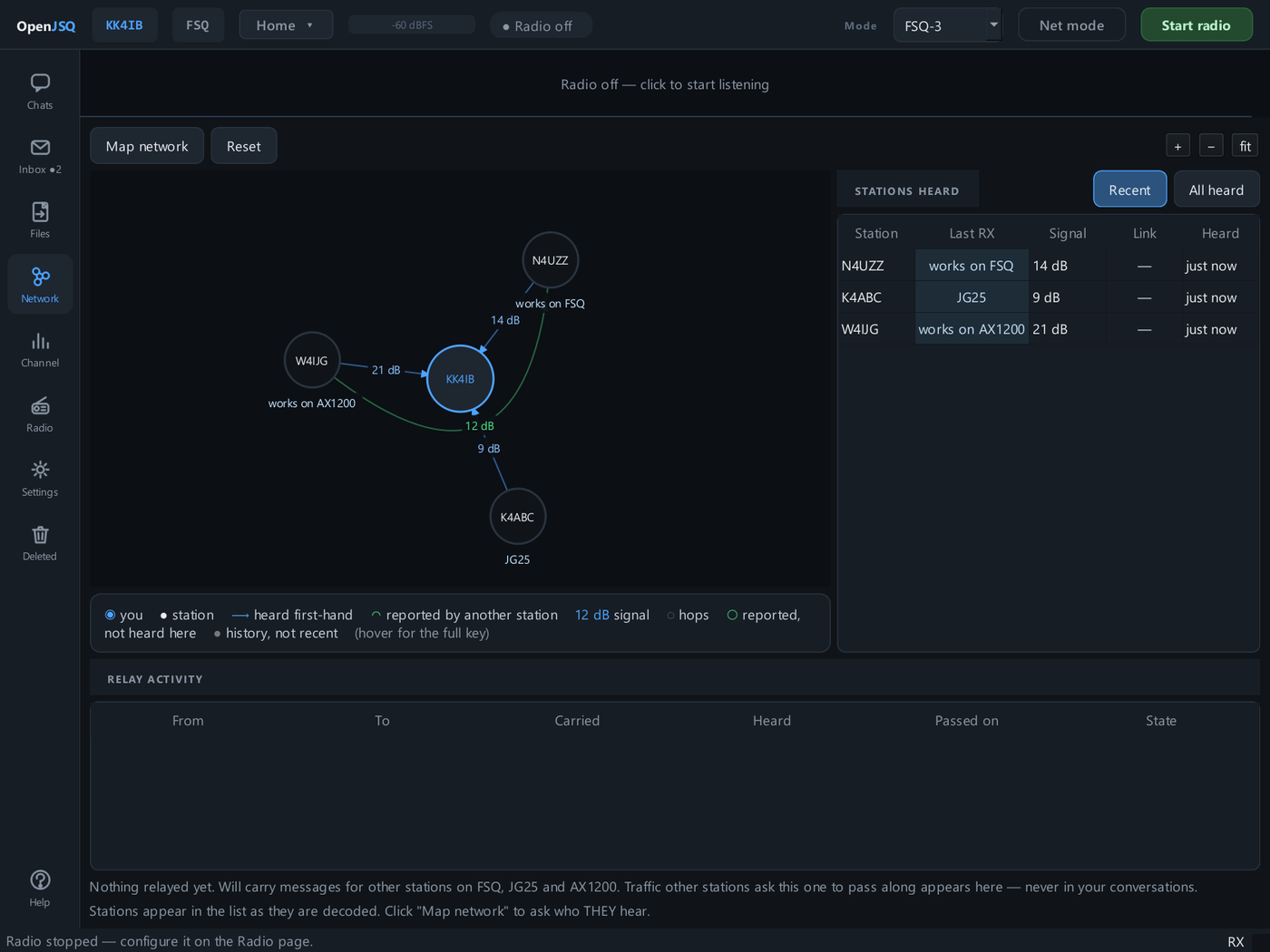
More than keyboard chat
One familiar interface for conversations and information that needs to travel over amateur radio.
Talk with individual callsigns or groups, and send via a relay station when that path is available.
Explore conversations →Selective retransmission, integrity checks, and transfer resume make files practical over imperfect radio links.
Explore file transfer →Hold mail for a station that is off air, or use a willing third-party mailbox station to keep it until the recipient returns.
Explore store-and-forward mail →The radio link
Choose a supported waveform for the link and the station you want to reach. FSQ serves HF and FM keyboard work; AX1200 and experimental JG25 serve FM packet links. The JSQ services above them remain consistent.
HF & FM keyboard chat, with classic FSQ compatibility.
Fast FM packets with selectable error protection. Experimental.
Standard packet compatibility, using radio audio or a KISS TNC.
Illustrative waveforms. Speeds are signaling or continuous-text rates, not delivered file throughput. SNR figures are simulated estimates, not guaranteed operating minimums: FSQ uses an HF text-copy test; JG25 and AX1200 use an FM packet-delivery test. Compare SNR only within the same test; real radio paths need margin. Test conditions →
One receiving station
On an audio connection, enabled FSQ, AX1200, and JG25 receivers listen together. Eligible automatic replies use the caller’s mode, even when you select another for your own messages.
How multi-receive works →At home. On a net. In the field.
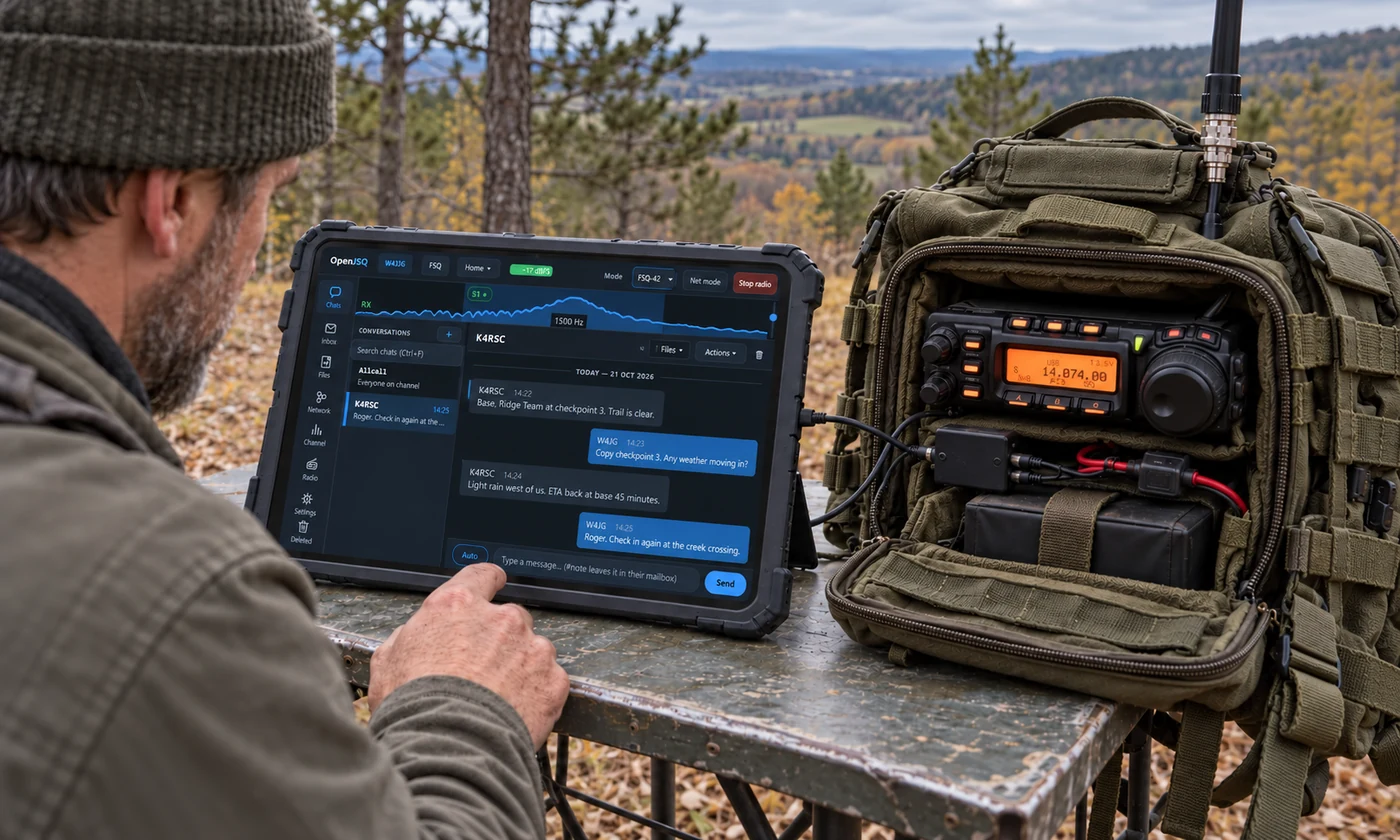
Share an @CLUB conversation. Use Net mode to pause automatic traffic during a directed net.
Groups & net controls →Offer a shared file library. Exchange ICS-213 forms, then print or save them.
Sharing & forms →Pop out Chats, Inbox, Files, Network, and Channel to monitor several views on one screen or across monitors.
Separate windows →Keep separate shack and field profiles, with portable configuration and a guide that works offline.
Field operation →Connect with other operators
Get setup help, report bugs, and discuss feature ideas in the OpenJSQ community.
Explore the community →Ready to explore?
Find the right starting mode, see the equipment setup, and learn what works with existing digital-mode stations.